How to Launch a Successful Making Strides Challenge
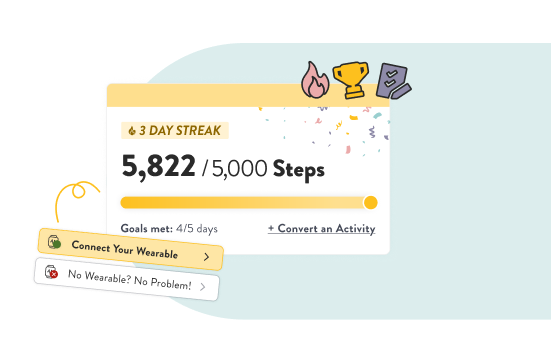
Run a successful step challenge with minimal effort
Busy HR admins can easily run the Making Strides challenge while also creating an engaging experience for employees!
Once you've selected your challenge dates and any prizes you'd like to offer, the On the Goga team takes care of the rest—from setting up the challenge in your Wellbeing Hub to keeping participants engaged throughout the month.
This guide covers:
What you'll do before the challenge
What On the Goga will handle for you
Best practices for maximizing participation
Helpful resources to share with employees
Your Role
Running a successful Making Strides challenge only requires a few simple steps.
1. Choose your challenge dates
Work with your Wellbeing Program Manager to select the following:
Challenge start and end dates
Any prizes or incentives you'd like to offer
Any organization-specific messaging you'd like included
Once those details are finalized, we'll prepare everything else behind the scenes.
2. Invite any new employees
A challenge is only fun if people know about it!
Before the challenge begins, we recommend checking whether any new employees still need access to your Wellbeing Hub.
If you have new hires, now is the perfect time to invite them. See ourguide to Inviting New Hub Users for instructions.
If you have any employees who haven’t yet activated their Wellbeing Hub accounts, send them a reminder to activate their accounts so they can participate in the challenge! Here are some email and Slack message templates to help you get started.
3. Promote the challenge
The more employees hear about the challenge, the higher participation tends to be.
Consider promoting the challenge through:
Company email
Slack or Microsoft Teams
Internal newsletters
Staff meetings
Digital signage or office TVs
Manager reminders during team meetings
We recommend announcing:
One week before the challenge begins
On launch day
Weekly reminders throughout the challenge
Final week "finish strong" encouragement
4. Participant Resources & Quick Reference Guides
The Wellbeing Hub guides employees through setup automatically with built-in prompts, video tutorials, and connection options. However, if employees reach out to you directly with questions, here are the key resources and answers available on the platform:
Connection Guide: Share step-by-step pairing instructions for smartphones and wearables.
End User FAQ: Direct employees to self-service answers for common questions, activity logging, and device troubleshooting.
Mobile App (PWA) Setup: Share this video guide to help employees download and install the On the Goga App on their phones if they want to access the challenge on the go.
Quick-Answers for Common Syncing Questions:
Sync Cadence: Step totals update automatically throughout the day and typically sync fully within 24 hours. A short delay is normal as data transfers from third-party apps into the Hub.
Rook Syncing: For participants connecting via third-party health apps (like Apple Health or Android Health Connect), keeping the Rook app running in the background on their mobile device ensures uninterrupted step updates.
What On the Goga Takes Care Of
As soon as you schedule your challenge, we'll take it from there.
Our team will:
✅ Set up your challenge in your Wellbeing Hub
✅ Notify participants one week before the challenge begins
✅ Help employees connect their phone or wearable
✅ Automatically track progress throughout the challenge
✅ Celebrate employee milestones with motivational emails
Examples of milestones include:
First goal reached
Goal streaks
Total goals achieved
Activity conversion milestones
We'll also administer challenge prizes after the challenge ends (unless you've arranged a different process with your Wellbeing Program Manager).
Need Help?
Your Wellbeing Program Manager is here to help.
Whether you have questions about prizes, challenge dates, employee participation, or promotion ideas, we're happy to help make your challenge a success!
Email us at clientexperience@onthegoga.com.